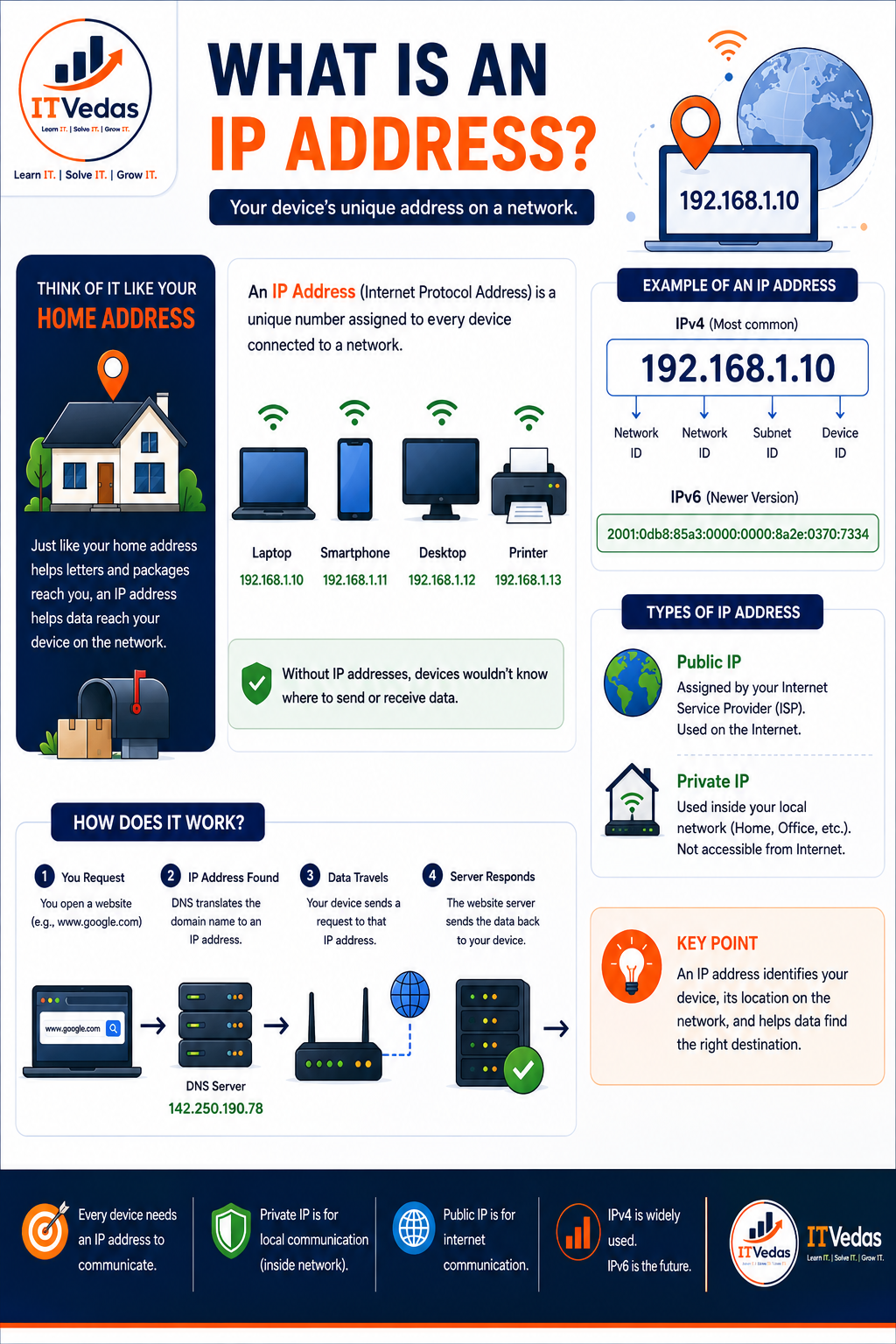
An IP address (Internet Protocol address) is a unique number assigned to every device connected to a network. Without it, your laptop, phone, or smart TV would have no way to send or receive data — there'd be nowhere for a response to go.
Also known as an Internet Protocol address. Comes in two formats — IPv4 (dotted decimal, e.g. 192.168.1.10) and IPv6 (hexadecimal, e.g. 2001:0db8:85a3::8a2e:0370:7334). Assigned as either a public IP (by your ISP) or a private IP (by your router).
Think of It Like Your Home Address
Just like a home address helps letters and packages reach you, an IP address helps data reach your device on the network. When you request a web page, that request needs a return address so the response knows where to go. Every laptop, smartphone, desktop, and printer on a network gets its own address, the same way every house on a street gets its own number.
On a typical home network, each connected device is assigned its own private IP address from the router:
Without IP addresses, devices wouldn't know where to send or receive data.
Example of an IP Address
The most common format is IPv4, written as four numbers between 0 and 255, separated by dots:
🔢 IPv4 (Most Common)
Each part of the address plays a role in identifying the network and the specific device on it:
- Network ID — identifies which network the device belongs to
- Subnet ID — identifies a smaller segment within that network
- Device ID — identifies the specific device on that segment
Because IPv4 only supports about 4.3 billion unique addresses, a newer format called IPv6 was introduced to support the growing number of internet-connected devices. IPv6 addresses are longer and written in hexadecimal, separated by colons:
🆕 IPv6 (Newer Version)
Types of IP Address
Every device typically has two kinds of IP address, used for different purposes:
Public IP
Assigned by your Internet Service Provider (ISP). Used on the internet — it's how the outside world identifies your home or office network as a whole.
Private IP
Used inside your local network — home, office, or any other LAN. Not accessible directly from the internet; your router hands these out to each connected device.
How Does It Work?
Here's what happens, step by step, when you open a website like www.google.com:
You Request
You open a website (e.g., www.google.com) in your browser.
IP Address Found
DNS translates the domain name to an IP address, e.g. 142.250.190.78.
Data Travels
Your device sends a request to that IP address, through your router and out to the internet.
Server Responds
The website's server sends the requested data back to your device's IP address.
An IP address identifies your device, its location on the network, and helps data find the right destination.
IPv4 vs. IPv6 at a Glance
| Feature | IPv4 | IPv6 |
|---|---|---|
| Format | Dotted decimal (192.168.1.10) | Hexadecimal colon notation |
| Address space | ~4.3 billion addresses | 340 undecillion addresses |
| Usage today | Widely used | The future of internet addressing |
Try the free IP Address Checker to view your public and private IP, along with connection details.
Check My IP →Key Takeaways
What to Remember
- An IP address is a unique number that identifies your device on a network
- IPv4 (dotted decimal) is the most common format; IPv6 (hexadecimal) is the newer, larger address space
- Public IPs are assigned by your ISP and identify your network on the internet
- Private IPs are handed out by your router for devices inside your local network
- DNS translates domain names into IP addresses so your requests know where to go
Frequently Asked Questions
What is an IP address in simple terms?
An IP address (Internet Protocol address) is a unique number assigned to every device connected to a network. It works like a home address for your device, telling the network where to send and receive data.
What is the difference between a public and a private IP address?
A private IP address is used inside a local network, such as your home or office Wi-Fi, and is not reachable directly from the internet. A public IP address is assigned by your Internet Service Provider (ISP) and is used to identify your network on the internet.
What is the difference between IPv4 and IPv6?
IPv4 is the most common IP address format, written as four numbers separated by dots (e.g., 192.168.1.10). IPv6 is the newer version, written in hexadecimal groups separated by colons (e.g., 2001:0db8:85a3:0000:0000:8a2e:0370:7334), and offers a vastly larger address space for the growing number of internet-connected devices.
How do I find my device's IP address?
You can check your public IP address using a tool like ITVedas' IP Address Checker. On Windows, run ipconfig in Command Prompt to see your private IP; on macOS or Linux, use ifconfig or ip addr.
Browse more articles and resources in this category